How to Build a Website Yourself — An Honest Step-by-Step Guide

“I’ll just build the site myself, it can’t be that hard” — that’s how most business websites start, the ones that then hang around unfinished for months. Not because putting up a site is impossible. Quite the opposite: every single step can be knocked out in one afternoon. The trouble is there are a dozen-plus steps, each one calls for a different decision and a different skill — and it’s the sum of all these “little things” that eats weekend after weekend.
This guide walks through everything you genuinely need to do to get a business website live — in order, honestly, with a realistic time cost at each stage. Without glossing over the hard parts and without scaremongering. At the end we show what the same journey looks like when a done-for-you service takes the whole job off your hands — so you can work out what pays off better: your time, or a finished result.
Step 1. Choosing and registering a domain
A domain is your address — yourcompany.pl. It seems trivial until you sit down to it for real. The best short names in your industry are usually taken, so the hunt begins: with a hyphen or without, with the town name tacked on or not, .pl versus .com, whether a .com.pl ending looks worse. On top of that, registration with a provider (home.pl, OVH, nazwa.pl), an account, payment, confirmation.
The registration itself is 15 minutes. Choosing a good name — sometimes an hour of dithering, sometimes three days of putting the decision off, because “maybe a different one after all”. This is the first point where the project can stall, before any website even exists.
Realistic time: 0.5–2 h (plus days to make the decision). Cost: PLN 40–100/year.
Step 2. Hosting and an SSL certificate
The domain is the address, but the site has to physically sit somewhere. You need hosting — a server that serves the files to visitors. Choosing a plan (how much bandwidth, how much space, whether it comes with a database), configuration, pointing the domain at the server via DNS records, waiting for DNS to “propagate” around the world.
On top of that, an SSL certificate, so the address starts with https:// and the browser doesn’t scare the customer with “connection not secure”. These days it’s usually free (Let’s Encrypt), but you have to switch it on and sometimes renew it.
None of this is hard in isolation. Together, though, it’s several admin panels that are easy to get lost in if you’re doing it for the first time.
Realistic time: 1–3 h. Cost: PLN 150–400/year for decent hosting.
Step 3. Choosing the engine: WordPress, a site builder, or code
Here you make the decision that will weigh on the months to come.
- WordPress — the most popular, flexible, but you’re the one responsible for updates, plugins, security and performance. A neglected WordPress slows down and does get hacked.
- A site builder (Wix, Squarespace) — simpler, but you pay a subscription every month and build everything yourself, block by block. We break it down in detail in Wix vs a done-for-you website.
- A static / hand-coded site — the fastest and most secure, but it takes technical skill or a developer. We explain why static wins on speed in WordPress vs a static website.
Each path is a different set of trade-offs. A considered choice takes a grasp of things you usually don’t have at the start — so either you read comparisons for an evening, or you pick “because a friend recommended it” and regret it by the third plugin.
Realistic time: 1–4 h of research. Cost: depends on the path.
Step 4. Design and layout
Now the site has to start looking like something. Choosing a template or a theme is only the beginning — every template has to be adapted: colours to match the brand, fonts, the arrangement of sections, the menu, the footer. Then the hardest part for a non-designer: making it look consistent and professional, and not like a pile of ready-made blocks stuck together.
On top of that, responsiveness. The site has to look good on a phone, and that’s exactly where things most often “fall apart”: a section that looks neat on a computer overlaps itself on mobile or pushes out a horizontal scrollbar. Fixing that without knowing CSS is hours of trial and error.
Realistic time: 5–15 h. This is usually the longest and most frustrating stage for someone who doesn’t do it for a living.
Step 5. Writing the content
This is where a lot of people get stuck for good. The empty template has to be filled with words: a headline that pulls people in, a description of your services, an “about us” section, copy for the subpages, image captions. Writing sales copy is a skill of its own — most business websites suffer from one of two problems: either they’re written in bureaucratic language (“we provide comprehensive services in the field of…”), or they’re made up of clichés that say nothing.
Good copy also has to hit the search phrases your customers are looking for — otherwise the site is pretty, but nobody finds it. That already ventures into SEO, which we’ll get to shortly.
Realistic time: 4–12 h if you don’t write for a living. Often this is exactly where a site “put aside for a moment” gets put aside forever.
Step 6. Contact form and legal pages
The site is meant to turn visitors into enquiries, so it needs a working form — one whose messages actually reach you, rather than vanishing into the void. Hooking up email delivery, spam protection, a confirmation for the customer.
On top of that, legal obligations: a privacy policy (GDPR — always required the moment you collect so much as an email address), and, if you sell online, terms and conditions too. This isn’t optional and you can’t just “wing it” — it has to cover what the site actually does with the data.
Realistic time: 2–5 h. Risk: a badly configured form = you lose customers without knowing it.
Step 7. SEO and speed
A site that Google doesn’t understand doesn’t exist for customers. Basic SEO means: meta titles and descriptions on every subpage, a sitemap, a robots file, structured data, images with alt text, sensible URLs. Each element is simple on its own — together they’re a checklist that’s easy to forget halfway through.
Separately: speed. Google has rewarded fast sites for years, and a slow site loses customers before it even loads. Optimising images, cutting down on scripts, correct caching — on WordPress with a handful of plugins that’s a real fight.
Realistic time: 3–8 h to do it properly. Without it the site is alive, but Google can’t see it.
Step 8. Publishing and maintenance
Finally, publishing — and it turns out this isn’t the end, just the start of maintenance. Updates, backups, renewing the domain and hosting, monitoring whether the site is up, fixes. A business website isn’t a “set it and forget it” project, but something that needs looking in on from time to time.
Let’s be honest about the total
Let’s add up the realistic effort for someone doing this on their own, when it isn’t their profession:
- Time: 20–50 hours spread over weeks.
- Annual cost: PLN 200–1,500 (domain + hosting + a possible site-builder subscription).
- Risk: that you get stuck on step 4 or 5 and the site never goes live.
And here’s the crux: no single step is hard. What’s hard is the sum of them, the continuity, and the fact that each one calls for a different competency — designer, copywriter, DNS technician and SEO specialist all in one person, who happens to be you, after hours.
For some people this is a good road anyway: if you have the time, enjoy learning and want full control — do it yourself, this guide is the map. But if your time is worth more than the saving, and you need to have a website rather than build one — there’s a second road.
The second road: you order a finished site, the system does the rest
Sitario flips this whole list on its head. Instead of going through eight steps yourself, you fill in one form — and the domain, hosting, design, copy, form, SEO and publishing are taken on by a system that works like an agency, only faster. Here’s what the same journey looks like from the other side.
You fill in a form — that’s all you do by hand. Company name, industry, town, the goal of the site, brand colours. It takes a few minutes and replaces steps 4–7 of this guide.
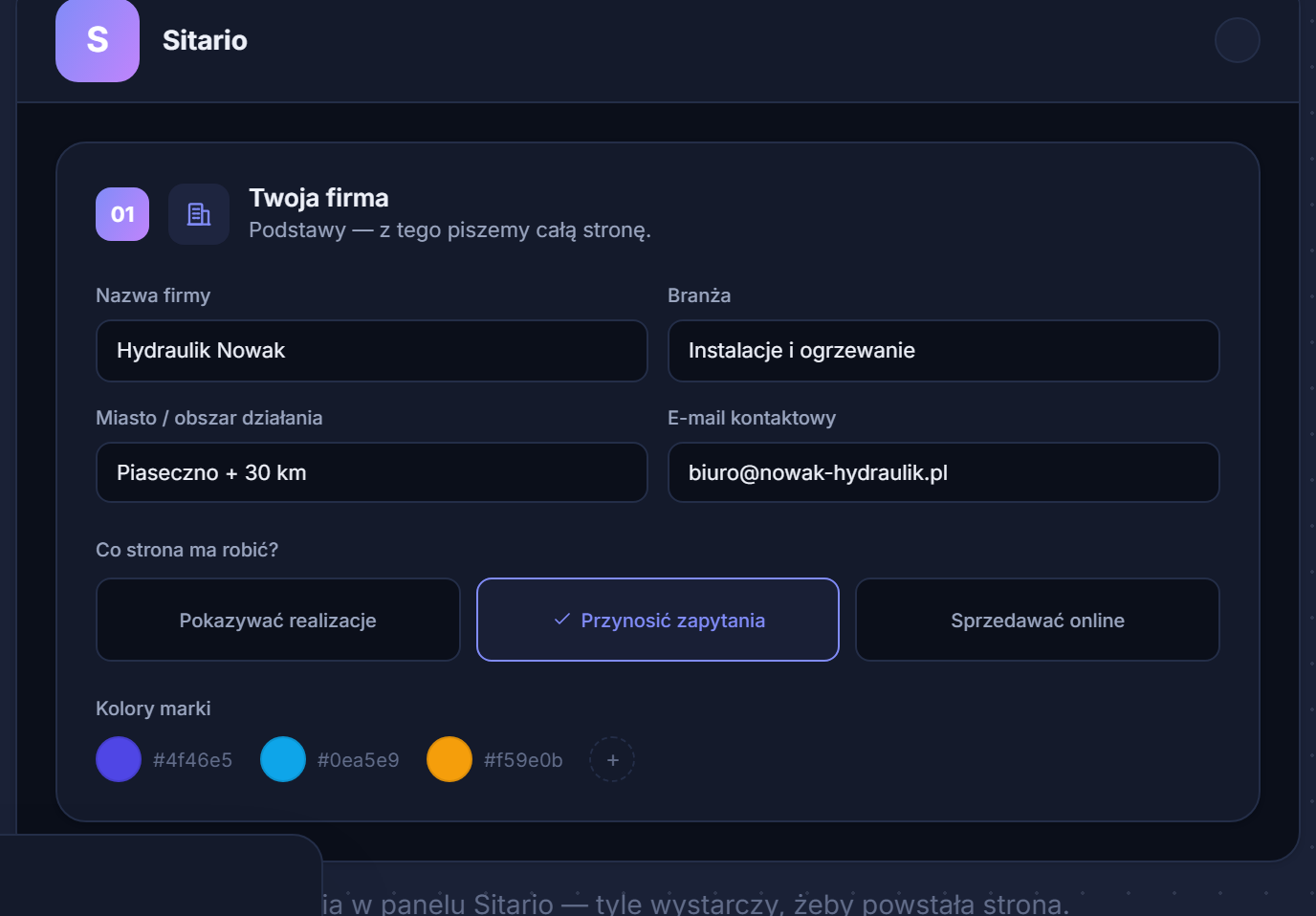 The entire “design” on your side: a few form fields.
You pick the domain in the same place. The search shows available addresses live and suggests alternatives — and if you like, we buy it for you and set it up. Steps 1 and 2 of the guide disappear.
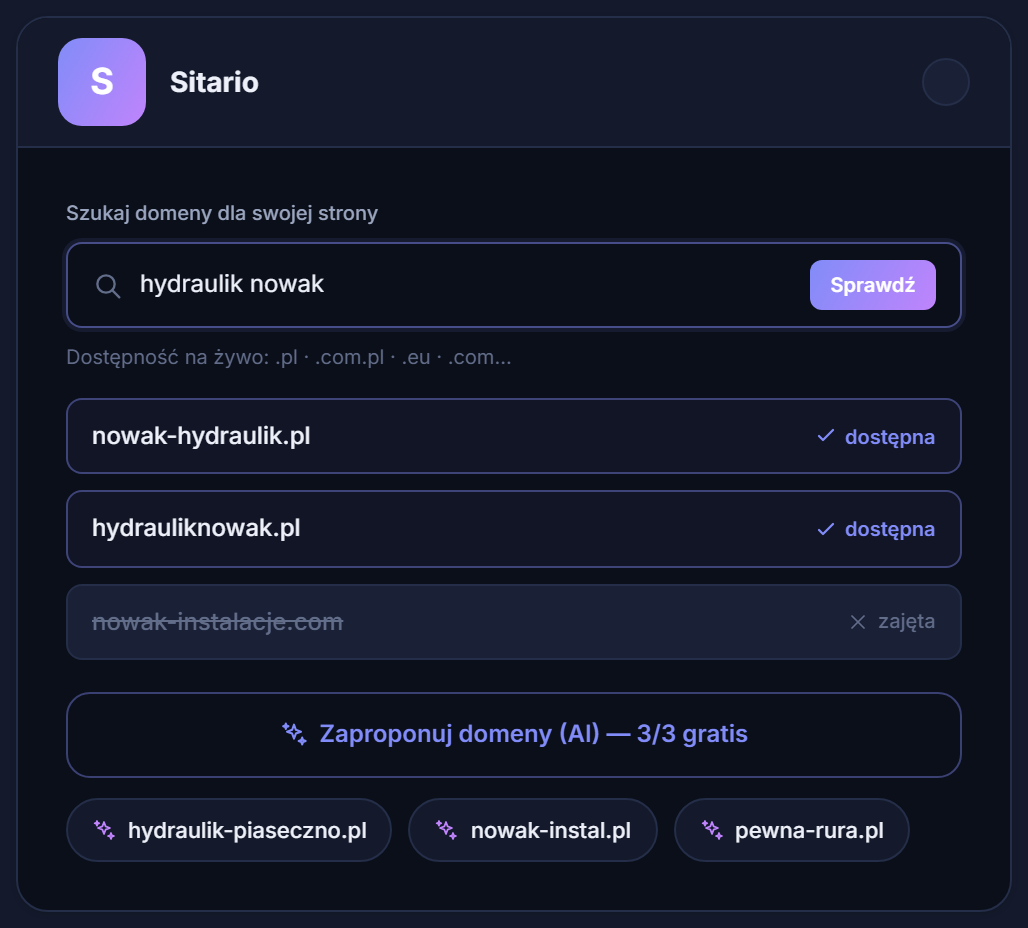 Choosing and configuring the domain without ever opening a provider’s panel.
You get a finished preview and approve it with a single click. The system generates a complete site — copy, layout, icons drawn for the industry, contact form — and launches it on your domain. Steps 3–8 happen without you.
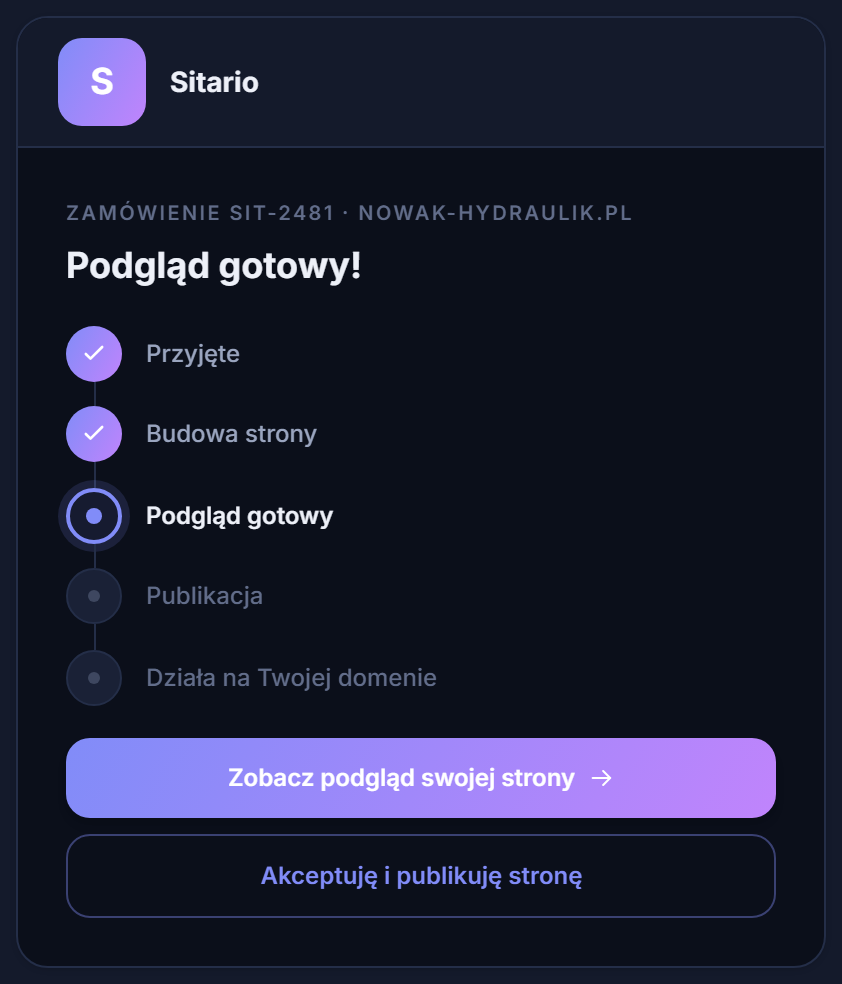 From form to finished preview — all you do is approve.
The site is fast and visible in Google from day one. We measure every site in Google PageSpeed Insights and gate it on the score — without the optimisation you’d be doing by hand in step 7. SEO, the sitemap and structured data are baked in from the first second.
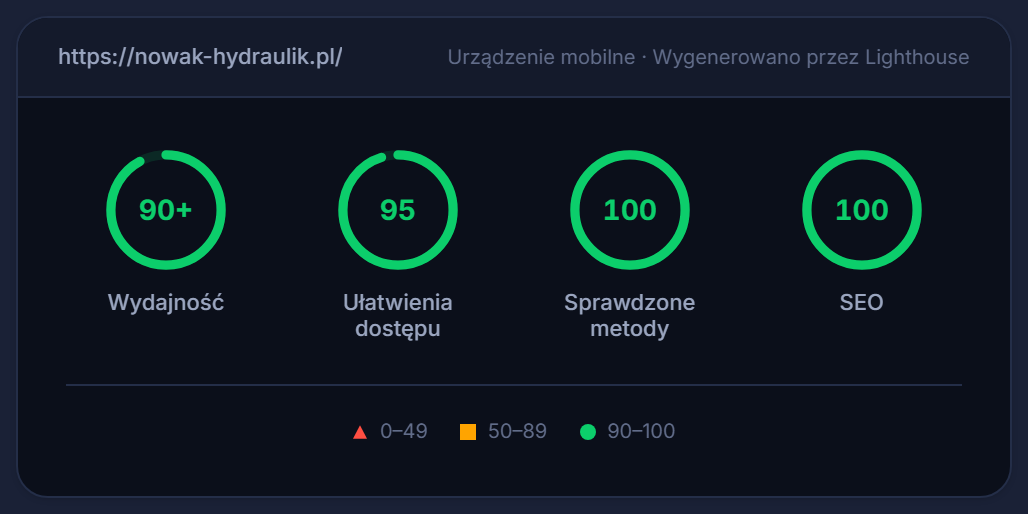 Speed and SEO built in, not tacked on at the end.
And the blog goes on writing itself. Instead of fighting an empty template and writing copy (step 5), you switch on a schedule — and the site regularly publishes articles targeting your customers’ search phrases, building your position in Google. We describe how it works from scratch in a separate piece on autoblogging.
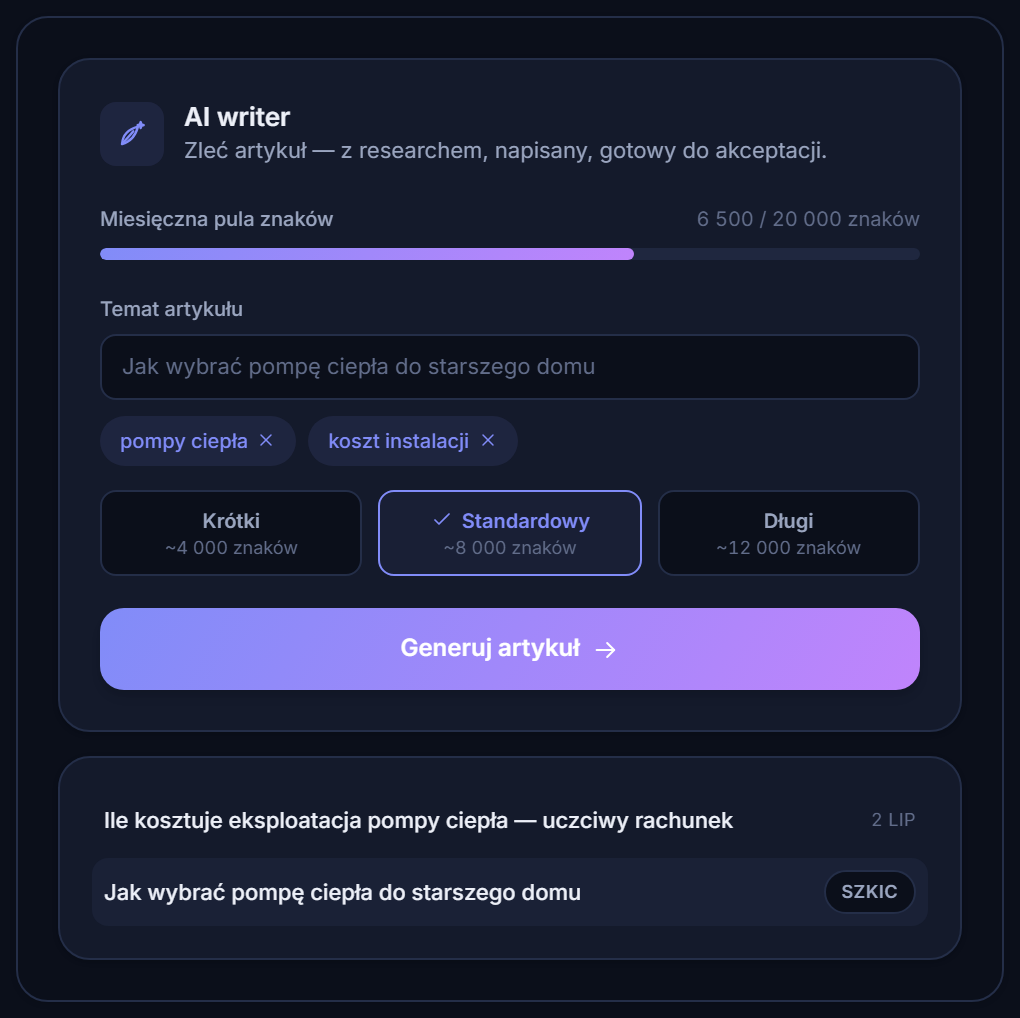 The content you’d spend weeks writing in step 5 — on demand.
And you can see the site working. Instead of guessing, the panel shows leads, search phrases and rankings from the last 28 days — in one place, with no analytics tools to set up.
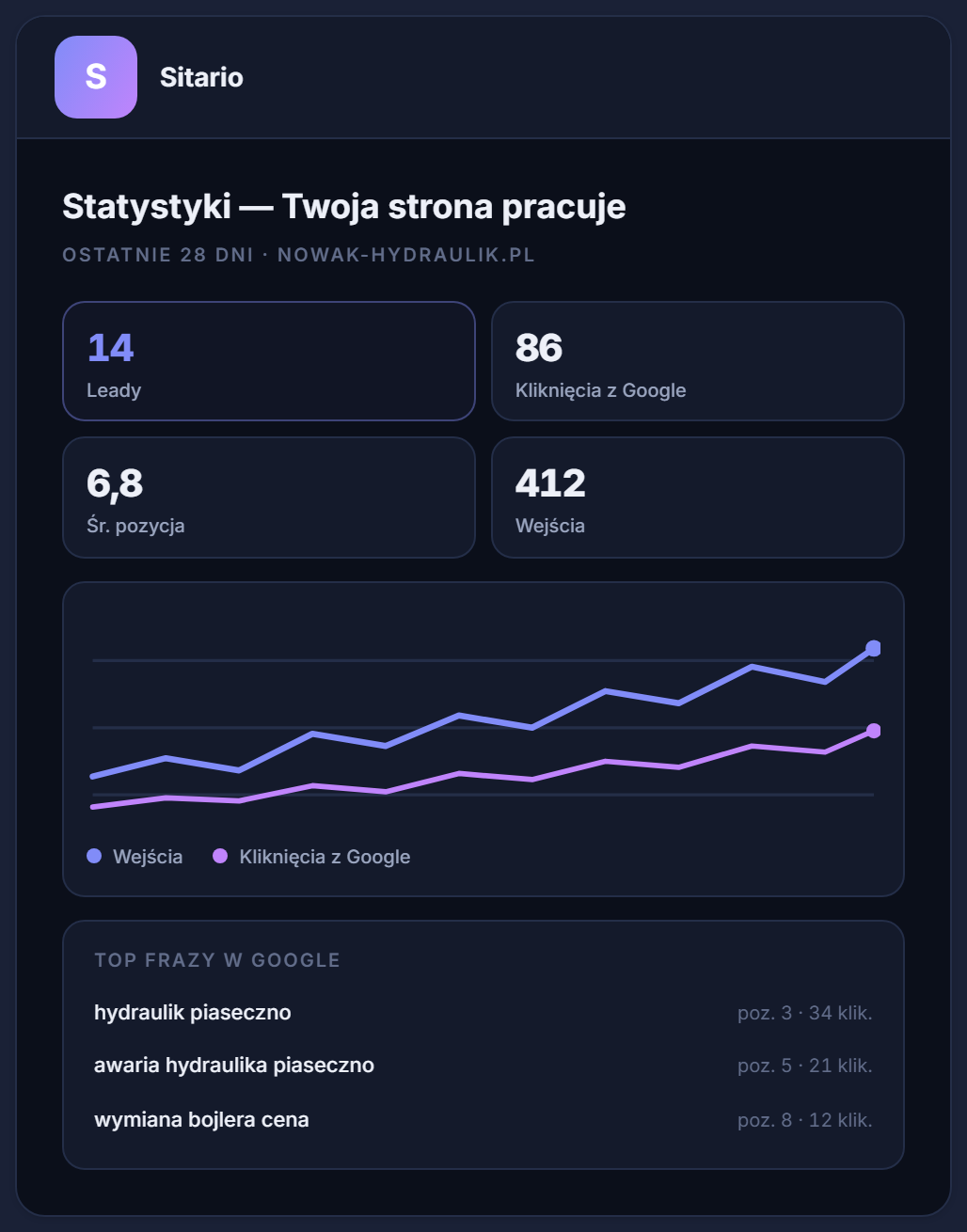 Proof that the site works, not just that it exists.
So which road is yours
Honestly: if you enjoy tinkering, have free evenings and want to learn the craft — build the site yourself. This guide is everything you need to get started, and the satisfaction of “I did it with my own hands” is real.
But if you’ve counted your hours and worked out that 30 evenings on a template is too steep — or you’ve already tried once and the site has been hanging unfinished for six months — that’s not a failure, just a signal that you need the result, not the tool. Order a finished website and get back to what you do best. The whole list from this guide stays on our side.